
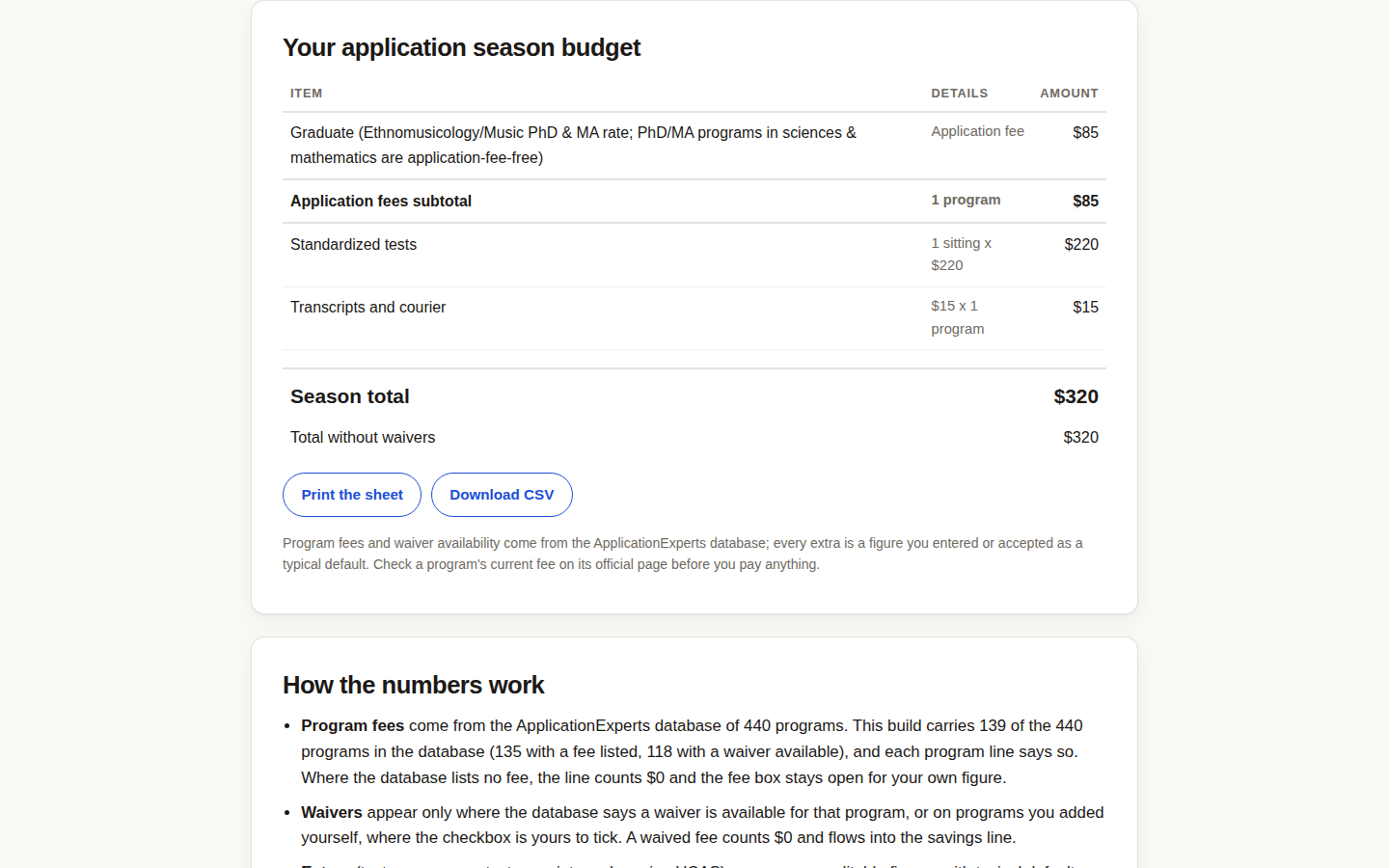
The biggest lever in an application budget is not a cheaper test date. It is the waiver column. The Application Budget Builder marks waiver availability from the database on every program line and lets you flip it on. Here are 6 ways to use it to shrink a season budget.
1. Flip every waiver toggle before judging the total
Build the budget twice: once as listed, once with every available waiver on. The sheet prints both numbers, the season total and the total without waivers, so the waiver value is a figure, not a hope. In our test run, the database program we added carried an $85 fee and a "waiver available in the database" flag; that flag is the first thing to check on every line of your own list.
2. Cross-check the no-fee list before adding a paid reach
Some programs should never enter the budget at all. Our list of universities with no application fee in 2027 is one of the most-read pages on this site, and the no-fee queries behind it rank at positions 5.0 to 6.5. If a safety school charges $85 and a comparable one charges nothing, the budget has an opinion.
3. Count the extras like they are fees, because they are
The prefilled extras are typical, and they stack: $220 a test sitting, $35 per extra score report, $15 per program for transcripts and courier, $38 for UCAS. On an eight-program season, the extras can rival the fees themselves. Where your application money actually goes traces the same leak from the other side.
4. Plan against the without-waivers total
Waivers get denied, arrive late, or cover less than the page suggested. Treat the season total with waivers as the target and the total without waivers as the ceiling you must be able to survive. If the ceiling breaks you, the list is too long, and the cheapest way to apply to 10 universities is the next read.
5. Add your own programs when the database misses them
The database in this build holds 139 programs, which will not cover every list. Add the missing ones with their real fees instead of working from a partial total; a budget with two honest custom lines beats a precise-looking one that quietly skips a third of the season. Check each fee on the program's official page before you pay anything, as the sheet itself reminds you.
6. Print the sheet and show it to whoever is paying
The budget prints and downloads as a CSV. A one-page sheet ends most arguments about what a season costs, whether the second payer is a parent, a sponsor, or future you. Then go find money back: the ScholarshipMatch checker at StudyAbroadExperts works the income side of the same season, and waiver rules for the biggest platform are at the Common App.
The short version of the tool is in our explainer post. Or start flipping toggles: build your budget free and see what your season actually costs.